Basket Random
Basket Random is a one-button basketball game for one or two people. Each side has two floppy players. Score five baskets to win against the computer or a friend.
Key facts
- Genre
- Sports
- Series
- Random series
- Players
- 1-2 players (same keyboard)
How to play Basket Random
Choose 1P to face the computer or 2P to share a keyboard. Each side has two players. Send the ball through the other side's hoop to score. The first side to reach five points wins.
In solo mode, press Up to move the team on the right. In two-player mode, the left team uses W and the right team uses Up. Each key moves both players on its team.
The players jump, reach, and tumble when you press their key. They can grab the ball and send it across the court. Watch the ball and the players before each jump. The moving bodies can knock the ball loose or send it toward a hoop.
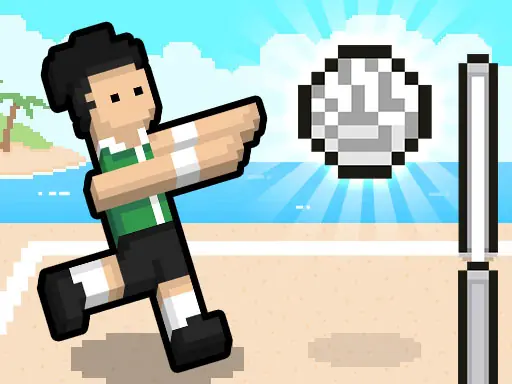
After a basket, the game resets the players for the next point. The court, players, and ball can change. We saw a city court, a snowy court, and a beach court during our matches.
In our Chrome desktop test, repeated Up presses helped us score three points in a solo rematch, which the computer won 5-3. The pause button opens a menu with resume and return-to-menu controls.
Basket Random controls
| Action | Controls |
|---|---|
| Solo: control the right team | Up arrow |
| Two players: control the left team | W |
| Two players: control the right team | Up arrow |
Tips and tricks
- Click inside the game, then press Up to start moving the solo team. The court shows the key hint at the start of a match.
- Watch both teammates when you press your key. They jump together, so one can reach the ball while the other moves near the hoop.
- Try short repeated presses to keep your team moving. In our solo rematch, that approach produced three baskets.
- Check where the ball lands after a collision. Players can fall over and the loose ball can roll to either side.
- Look at the new court after each point. The setting and ball can change before the next possession.
More Random series games


Frequently asked questions
How do I play Basket Random with two players?
Choose 2P on the game menu and share a keyboard. The left team uses W. The right team uses the Up arrow.
Which key do I use against the computer?
Choose 1P and use the Up arrow. You control the team on the right, while the computer controls the team on the left.
How many points do I need to win?
The first team to reach five points wins. The result screen offers 1P and 2P buttons for another match.
Why does the court change after a basket?
The game changes the setup between points. Our matches included a city court, a snow court, and a beach court, with different players and balls.
Is Basket Random free to play?
Yes. You can start Basket Random in your browser for free without a download or an account.
Can I play Basket Random on mobile?
The desktop game uses a keyboard. A computer or Chromebook lets two people share the W and Up arrow keys.
Last updated . Basket Random is made by its original developer and embedded here for free play.